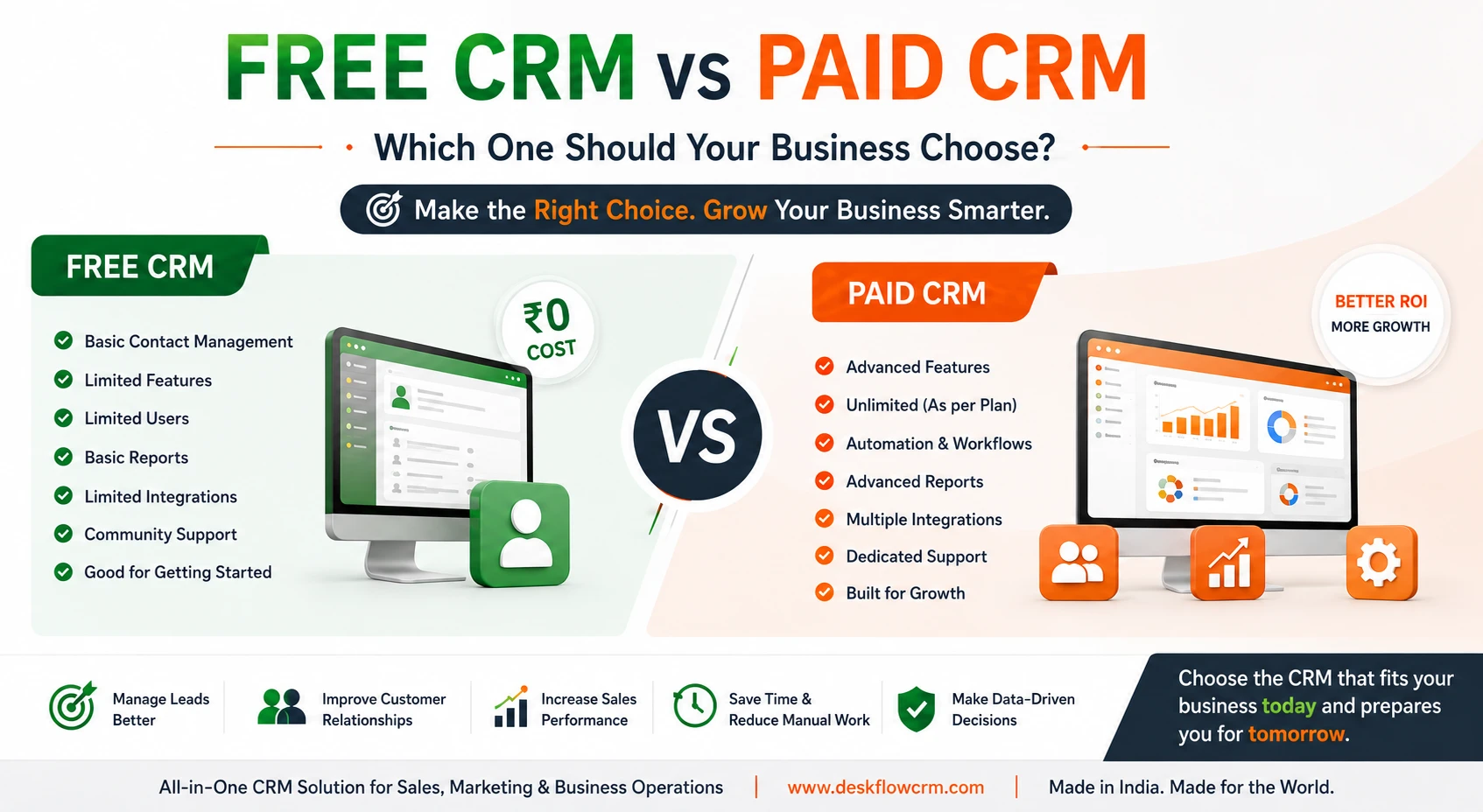
Free CRM vs Paid CRM: Which One Should Your Business Choose?
Choosing the right CRM can be difficult, especially for a small business buying CRM software for the first time. One of the first questions businesses ask is: should we start with a free CRM or invest in a paid CRM? A free CRM can be a good starting point for individuals and very small teams. However, as your customer base, sales team, and business processes grow, you may need features that free plans often limit. In this guide, we compare free CRM vs paid CRM to help you understand the differences, costs, features, limitations, and which option makes sense for your business.
What Is a Free CRM?
A free CRM is customer relationship management software that can be used without paying a subscription fee. Some free CRM solutions are completely free, while others offer a free plan with limited users, contacts, storage, or features. A free CRM typically helps businesses manage basic customer information such as:
- Customer and contact details
- Leads and prospects
- Basic sales activities
- Follow-ups
- Notes and tasks
- Simple reporting
For a freelancer or a very small business with straightforward requirements, these features may be enough to get started. However, free CRM plans commonly come with restrictions — advanced automation, integrations, reporting, user permissions, communication tools, or larger contact limits may only be available in paid plans.
What Is a Paid CRM?
A paid CRM is software that requires a subscription or license fee in exchange for access to a broader set of features and business capabilities. Paid CRM solutions are generally designed to support businesses as they grow. Depending on the software and plan, you may get:
- Lead and inquiry management
- Sales pipeline and task management
- Team member access rights
- Quotations, orders and sales invoices
- Purchase and inventory management
- Reports, automation and integrations
The exact features vary between CRM providers and pricing plans.
Free CRM vs Paid CRM: Key Differences
The biggest difference isn't simply ₹0 vs a subscription fee. It is about the capabilities your business gets and whether the CRM can support your workflow as you grow.
| Feature | Free CRM | Paid CRM |
|---|---|---|
| Contact Management | Usually available | Advanced |
| Lead Management | Basic | Advanced |
| Tasks & Follow-ups | Limited/basic | More comprehensive |
| Number of Users | Often limited | Depends on plan |
| Contact Limit | Often limited | Higher limits |
| Reports | Basic | Advanced |
| Automation | Limited | More options |
| Integrations | Limited | Wider integration options |
| User Permissions | Basic/limited | Advanced |
| WhatsApp/Communication | May be limited | Often available |
| Inventory/Business Operations | Usually unavailable | Available in some platforms |
| Support | Basic/community | Dedicated support may be available |
| Customization | Limited | More flexible |
| Scalability | Limited | Better suited for growing teams |
Important: Features vary significantly between CRM providers, so always check the actual plan details before choosing.
When Should You Choose a Free CRM?
A free CRM can make sense when your business is still at an early stage and your CRM requirements are simple.
You are a freelancer or solopreneur
If you manage customers yourself and don't need complex sales processes, a free CRM may be sufficient.
You have a very small number of contacts
If you only manage a limited number of customers and leads, free contact management can be useful.
You are testing CRM software for the first time
A free CRM allows you to understand how CRM software works before committing to a paid solution.
Your sales process is simple
If your process is simply lead → contact → follow-up → customer, you may not immediately need advanced CRM features.
Budget is your biggest concern
For a new business with extremely limited resources, starting with a free CRM can help you organize customer data without adding software costs.
When Should You Choose a Paid CRM?
A paid CRM becomes more valuable when your business depends on structured sales and customer management.
You have a growing sales team
Once multiple team members start handling leads and customers, you need proper assignment, access control, and tracking.
You are losing track of follow-ups
If leads are being managed through notebooks, spreadsheets, WhatsApp chats, or individual phone records, a CRM can centralize the process.
You need better reporting
Business owners often need answers such as: how many leads did we receive, which salesperson is handling each lead, how many inquiries became customers, and which follow-ups are pending. Paid CRM plans often provide more comprehensive reporting and analytics.
You need automation
As the number of leads increases, manually creating tasks, reminders, follow-ups, and repetitive workflows can consume valuable time. Automation can reduce repetitive work and help teams respond more consistently.
You need integrations
Growing businesses may need to connect their CRM with WhatsApp, website forms, Google Sheets, lead platforms, APIs, or accounting and business software — capabilities that may not be included in free CRM plans.
Is a Free CRM Really Free?
A free CRM may have ₹0 subscription cost, but that doesn't necessarily mean it provides everything your business needs. Free plans may have limitations such as:
- Fewer users
- Contact limits
- Limited storage
- Fewer integrations
- Limited automation
- Basic reports
- Restricted customization
- Limited customer support
As your business grows, you may eventually need to upgrade. Instead of asking only "Is the CRM free?", ask: "Does the CRM provide the features my business actually needs?"
The Real Cost of Your Decision
For a business, the cost of CRM software isn't only the subscription price. Consider the cost of lost leads, missed follow-ups, manual work, poor visibility, duplicate data, and inefficient sales processes.
For example, imagine a salesperson receives 100 inquiries but several follow-ups are missed because they are recorded in different spreadsheets or WhatsApp conversations. Even a few lost customers could cost more than the annual CRM subscription. This is why businesses should evaluate CRM software based on business value, not just price.
What About Deskflow CRM?
For Indian small and medium-sized businesses, Deskflow CRM is designed to go beyond basic contact management. Deskflow combines CRM capabilities with broader business-management features, helping businesses manage customer relationships and day-to-day operations from one platform. Depending on the plan, Deskflow CRM provides features such as:
Contact & Inquiry Management
Manage customer information, leads, inquiries, sources, labels, and follow-ups from one place.
Team Management
Assign work to team members and manage access rights according to your business requirements.
Sales Management
Manage quotations, orders, invoices, and sales-related activities within the same system.
Tasks & Follow-ups
Create tasks, reminders, and follow-ups so important customer activities don't get forgotten.
Reports & Insights
Track business activities and sales performance through reports and insights.
WhatsApp & Lead Integration
Connect customer communication and lead sources with your CRM workflow where supported.
For businesses that need more than a traditional CRM, Deskflow also includes business-management capabilities such as purchase and inventory management — useful for businesses that want to move beyond simply storing customer contact information.
Free CRM vs Paid CRM: Which Is Better for Small Businesses?
Choose a free CRM if:
- You are a solo business owner
- You have very few contacts
- Your sales process is simple
- You only need basic contact management
- You are testing CRM software for the first time
- You don't currently need automation or integrations
Choose a paid CRM if:
- You have a sales team
- You manage a large number of inquiries
- Follow-ups are difficult to track
- You need detailed reports
- You need multiple users and access rights
- You want automation and integrations
- You want one system for multiple business operations
- You expect your business and customer database to grow
How to Choose the Right CRM for Your Business
Before selecting a CRM, ask these five questions:
1. How many users will use the CRM?
Consider both your current team and expected future users.
2. How many leads and contacts do you manage?
Check whether the CRM's contact limit will remain sufficient as your business grows.
3. What features do you actually need?
Make a list of must-have features instead of choosing software based only on its price.
4. Which integrations are important?
Check whether you need WhatsApp, website forms, Google Sheets, lead platforms, APIs, accounting software, or other integrations.
5. What will your business need one year from now?
A CRM should not only solve today's problem. It should ideally support your next stage of growth.
Final Verdict: Free CRM or Paid CRM?
A free CRM is a good starting point for freelancers, individuals, and very small businesses with basic requirements. But if your business is already generating regular leads, has multiple team members, requires structured follow-ups, or needs sales reports and integrations, a paid CRM can provide significantly more value.
The right decision isn't about choosing the cheapest CRM. It's about choosing a CRM that provides the right combination of features, scalability, usability, support, and overall business value. For small and growing Indian businesses looking for an all-in-one solution, Deskflow CRM can be considered when you need customer management along with sales and business-operation capabilities in a single platform.